Building an FSD wheelchair with a post-trained model
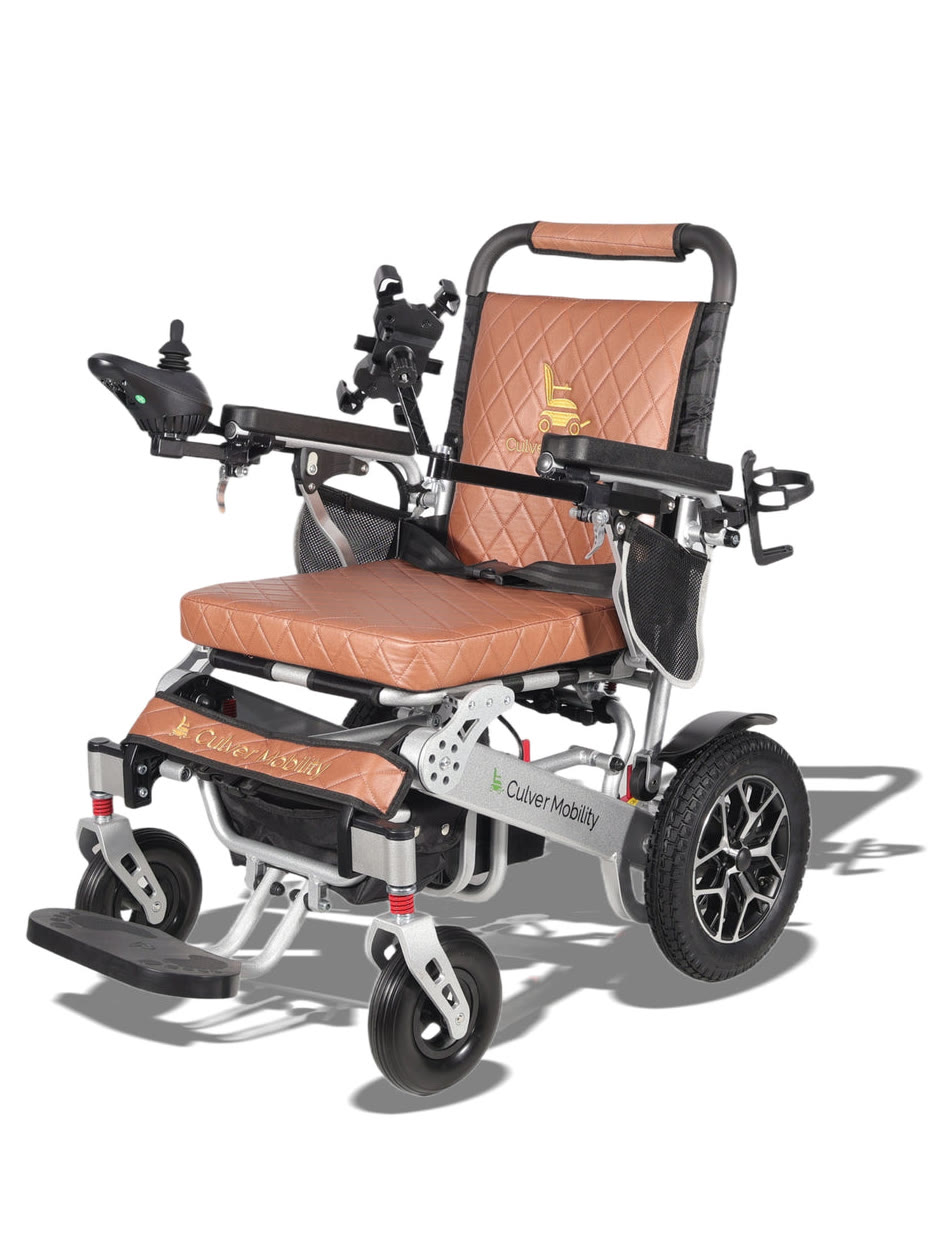
Last weekend we added Full Self Driving (FSD) to an electric wheelchair. We built this on a single Arduino UNO Q; a private mesh network; a post-trained robotics AI model (OmniVLA) where we curated data utilizing Google Deepmind's ER 2 model; and ontop of a familiar, simple user interface, designed for people with disabilities or the elderly.
Functionalities
The wheel chair navigates fully autonomously both indoors and outdoors. Using a simple iPad interface a user can simply speak where they want to go (an address or even "take me to the bathroom").
The three main functionalities are:
- Summon
If a user is physically separated from the wheelchair. They press a summon button on their iPad. The gps unit on the wheelchair navigates around objects and places itself at a convenient location for the user to mount it.
- Indoor navigation
Using natural language (i.e. "take me to the blue sofa") via voice or type we identify a target in the view or explore the area until the target is found. The wheelchair carefully navigates to the target and ends the ride once it's at a convenient dismount location.
- Outdoor navigation
Using type or voice name any location within a 0.5 mile radius, we build off of a Google Maps API for walk/bike routing. The camera navigates towards the destination, avoiding obstacles, and exercising caution (looking both ways, waiting for road cross signal, etc.) to arrive to the destination.
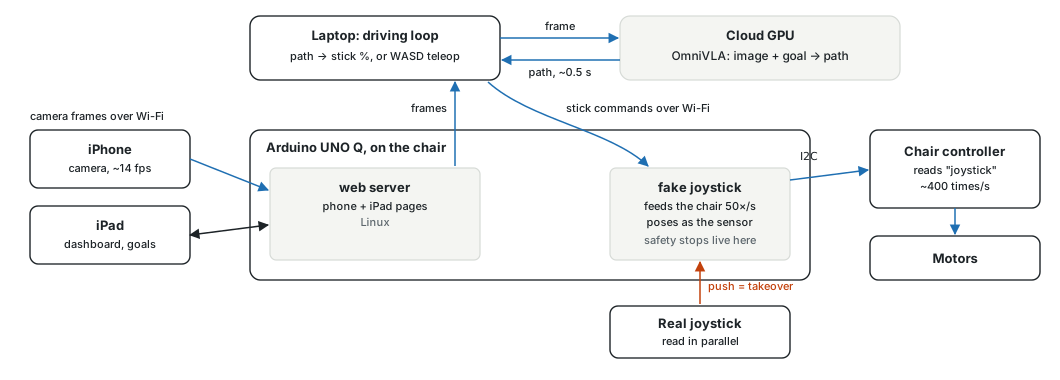
The camera feed is streamed from a phone mounted onto the wheelchair. The main user interface is via the handheld iPad which allows for target intake, trip observation, and manual override. The physical joyride also serves as an emergency failsafe.
Wheelchairs like these can cost upwards of $30,000 and all in we built this FSD wheelchair for roughly 1% of that cost.
Interacting with the chair
Our first guess was that the stick was an analog voltage but after testing with a multimeter we ruled that out. The second problem was that the chair speaks its protocol with a timing quirk that the Arduino’s built-in hardware refuses, so the chair would beep at us, detecting a foreign device.
We ended up reverse engineering the protocol for the Chinese hardware in C++, we continually iterated, tweaked our approach, (and grew tired of the constant beeping) until we emulated the small magnetic sensor that the chair polls about 400 times a second.
In the end, we didn't have to cut or solder anything which means that the joystick still completely works and the FSD is non-invasive to the chair and easy to revert.
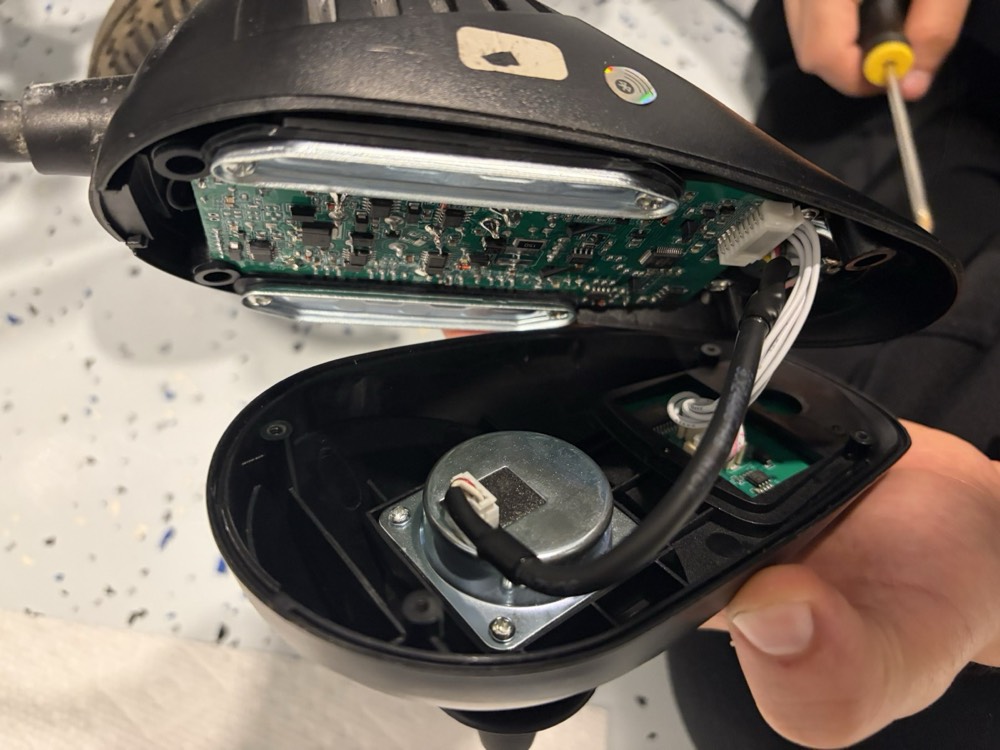
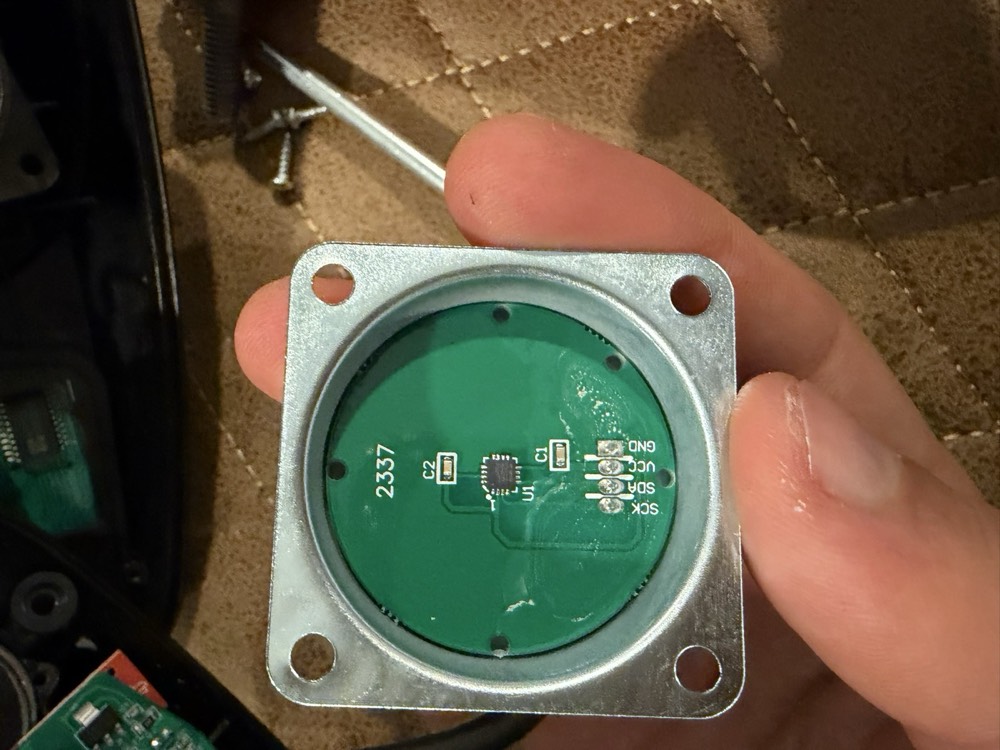
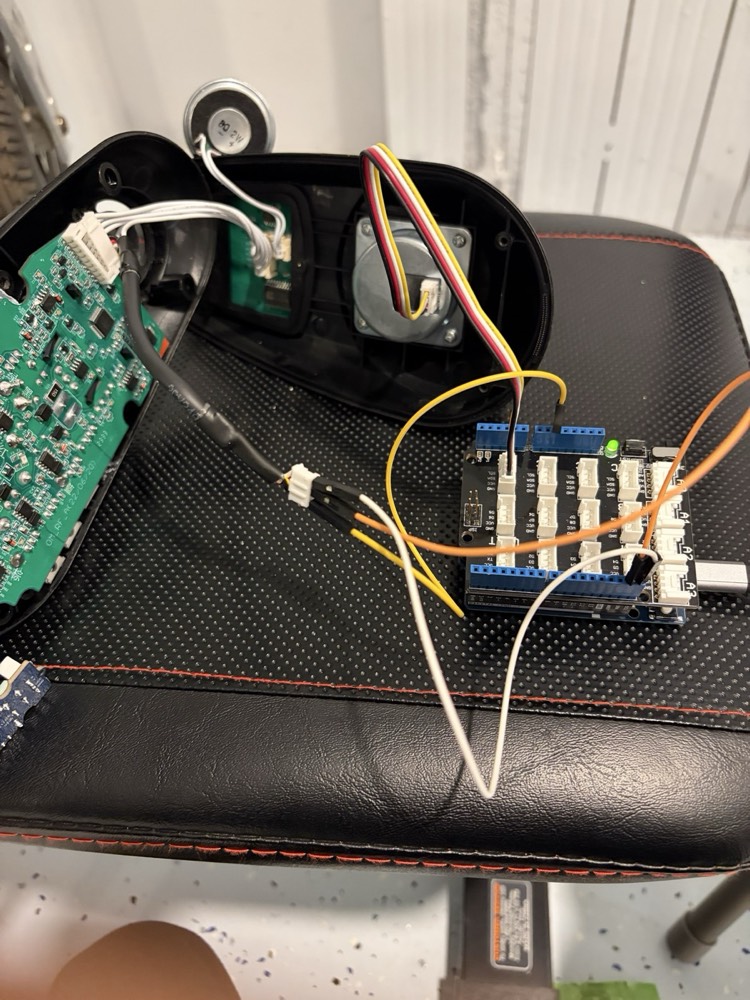
Everything else hangs off a private mesh network (using Tailscale): the iPhone strapped to the chair streams camera, gyro, and GPS; a model decides where to go; a backend server turns those decisions into stick commands; and an iPad is the rider’s screen.
Building the model
We started with public benchmarks and ran tests for out-the-box robotics AI models making decisions for our wheelchair's movements, and we finally landed on OmniVLA for it's unique ability to work both indoors and outdoors, and to take plain language as its goal. OmniVLA's size was also convenient for latency since we needed quick responses and to build an agent harness around that (on a rented A10 through Modal it answers about four times a second). Every answer gives us eight waypoints which can dictate the next few seconds of movement but we run a new model call for every ~28cm of movement.
OmniVLA worked well out of the box but still had 3 large issues.
- Understanding Wheelchair Size. OmniVLA learned on small robots. Our camera sits 28 cm off the floor on the chair’s front-left corner, and there's chair to the right of it. It's possible to bake this understanding into the harness but it's much less effective as compared to baking it into the model's actual weights through post-training.
- Ability for a rider to dismount. For our use case, the wheelchair needs to stop at a location convenient enough for the rider to dismount or mount effectively. OmniVLA out of the box would stop once the target is within complete view, not where the rider could dismount.
- Memory. Since the model only sees in single frames, after steering around the box, once it could no longer see it, it would steer right back into it.
The model also has no context between frames, so if the chair moves too far between two calls, the next frame confuses it.
Experiment 1: use an LLM to drive
The quickest way to find out whether these were perception problems or policy problems was to swap the policy. We gave Claude the camera picture and a handful of moves: forward up to a meter at a time, back a little, turn on the spot up to 120°. We gave the model harness context on the size, where the camera sits relevant to the centerline, and also built memory of the whole conversation so it knows what steps were taken previously.
The LM understood the scene better than OmniVLA, but it was a poor driver. Every step was slow (2-3s) so the chair would move in stop-and-go steps. Haiku was a little faster and no better at distance. Extended thinking did not help.
Experiment 2: calibrate the frame of view (fov)
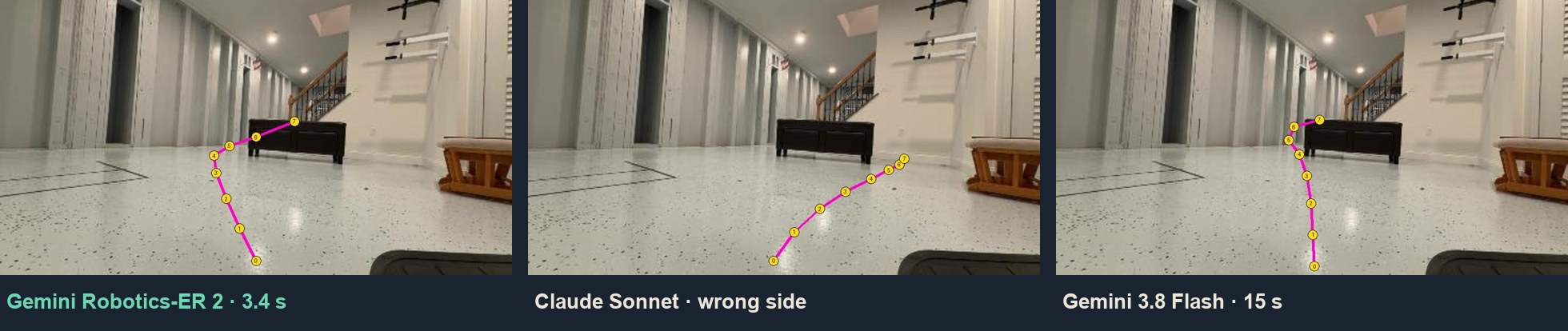
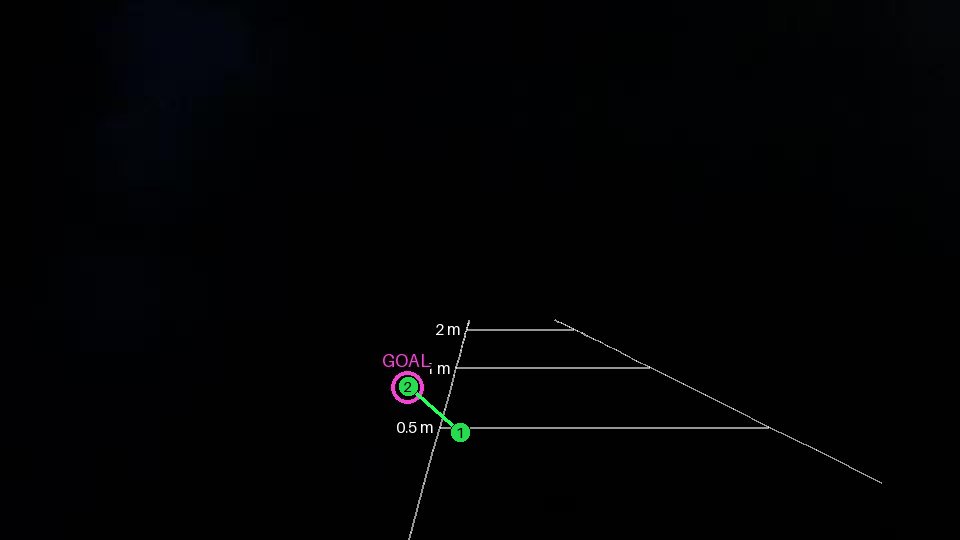
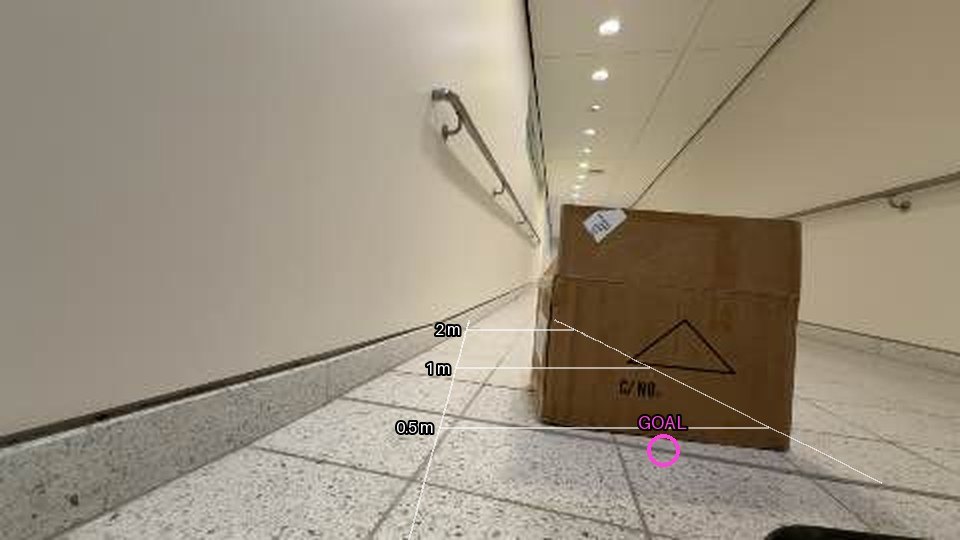
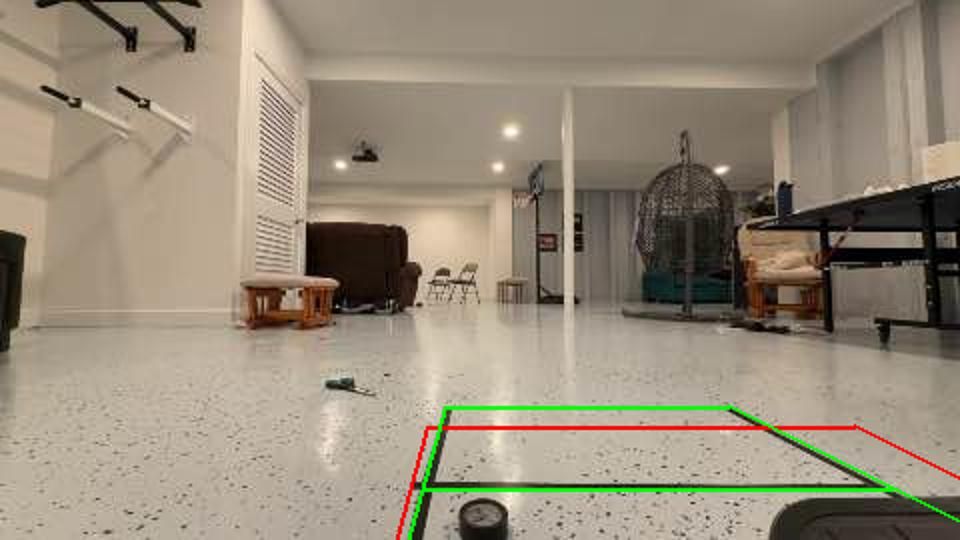
Gemini Robotics-ER 2 is built to point at things in an image, so we used tape to draw parking-camera guidelines in order to calibrate the model (where the chair’s two sides will pass, with marks at 0.5, 1 and 2 m) and a fan of up to seven numbered paths, from 60° left to 60° right in 20° steps.
With that the chair's footprint becomes concrete in the input the model receives and every step can be calibrated for the actual depth in the frame.
Experiment 3: let the model draw the route
We finally split the decision into two parts, Gemini decides only where to go by marking the goal and drawing a route as a few points on the floor. The agent harness drives the chair by fitting the route to the floor using the depth of the phone camera and continues to follow it between model responses. The harness also measures the chair's turns using the phone's gyro.
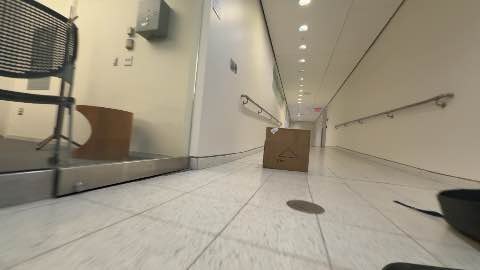
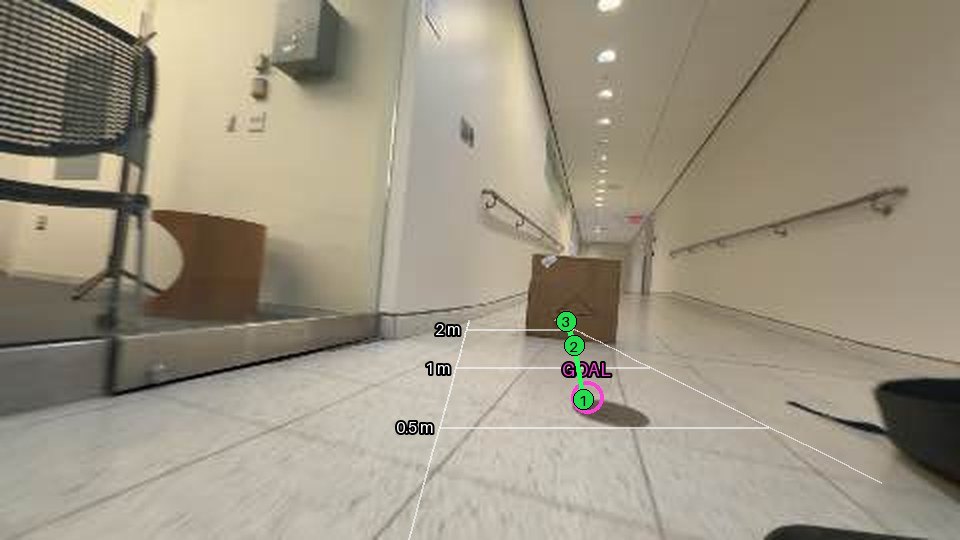
The whole answer is a small piece of JSON, with points as fractions of the picture:
{
  "scene": "The cardboard box is straight ahead in the corridor, about two meters away.",
  "goal_visible": true,
  "goal": [580, 595],
  "action": "route",
  "route": [[740, 608], [640, 598], [595, 590]],
  "note": "Approaching the cardboard box directly to stop right in front of it."
}
We also made the model write a one-line note to its later self, outlining what was asked for and what the chair did: “asked left 30°, gyro measured left 21°”. And once the goal is marked the harness remembers it (reference the image below.
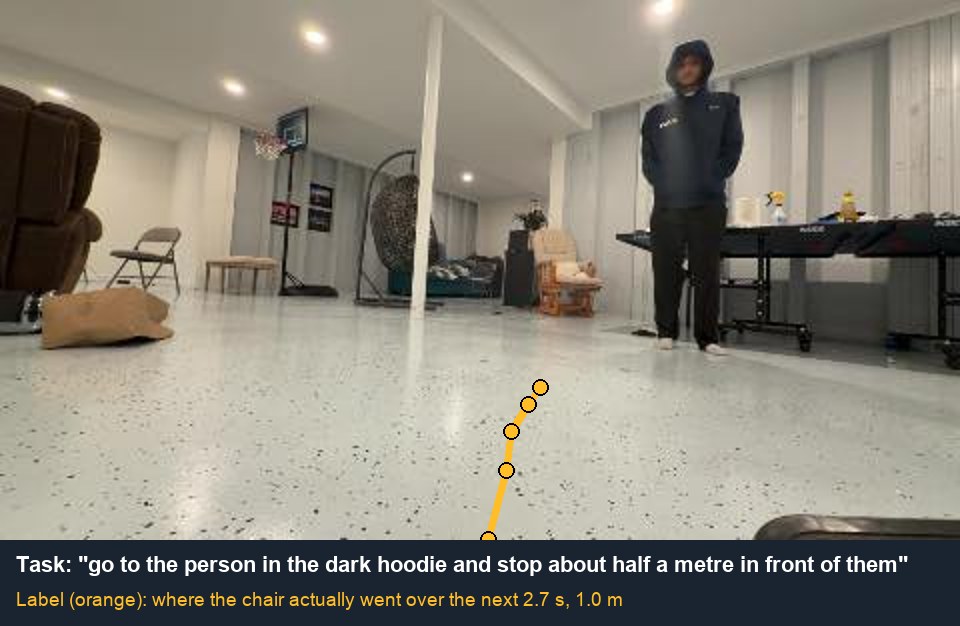
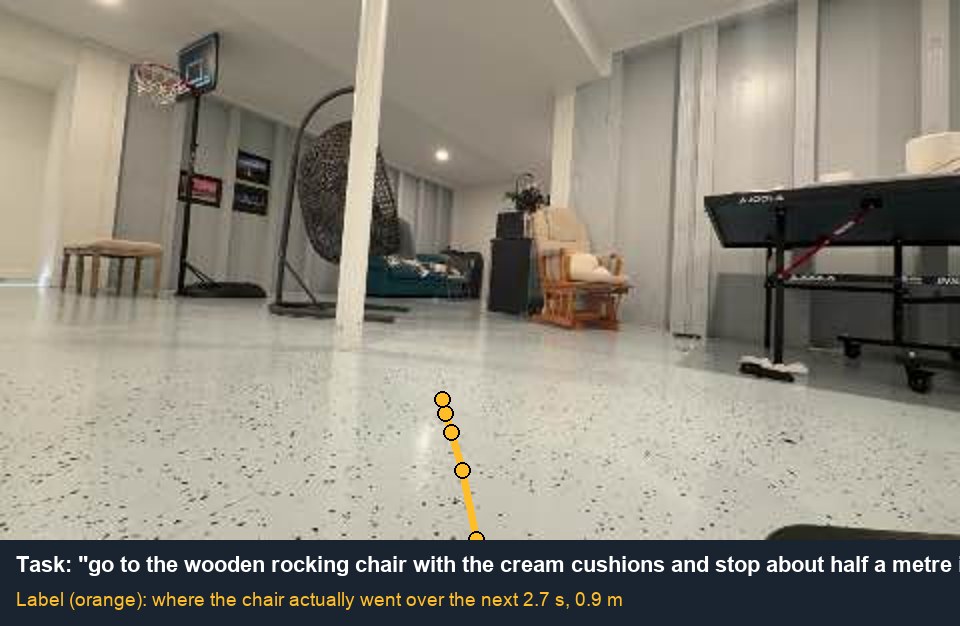
This was the first driver that reached a named thing reliably: the bottom of the stairs around an ottoman in 37 seconds, a person in 12, a rocking chair in 14.
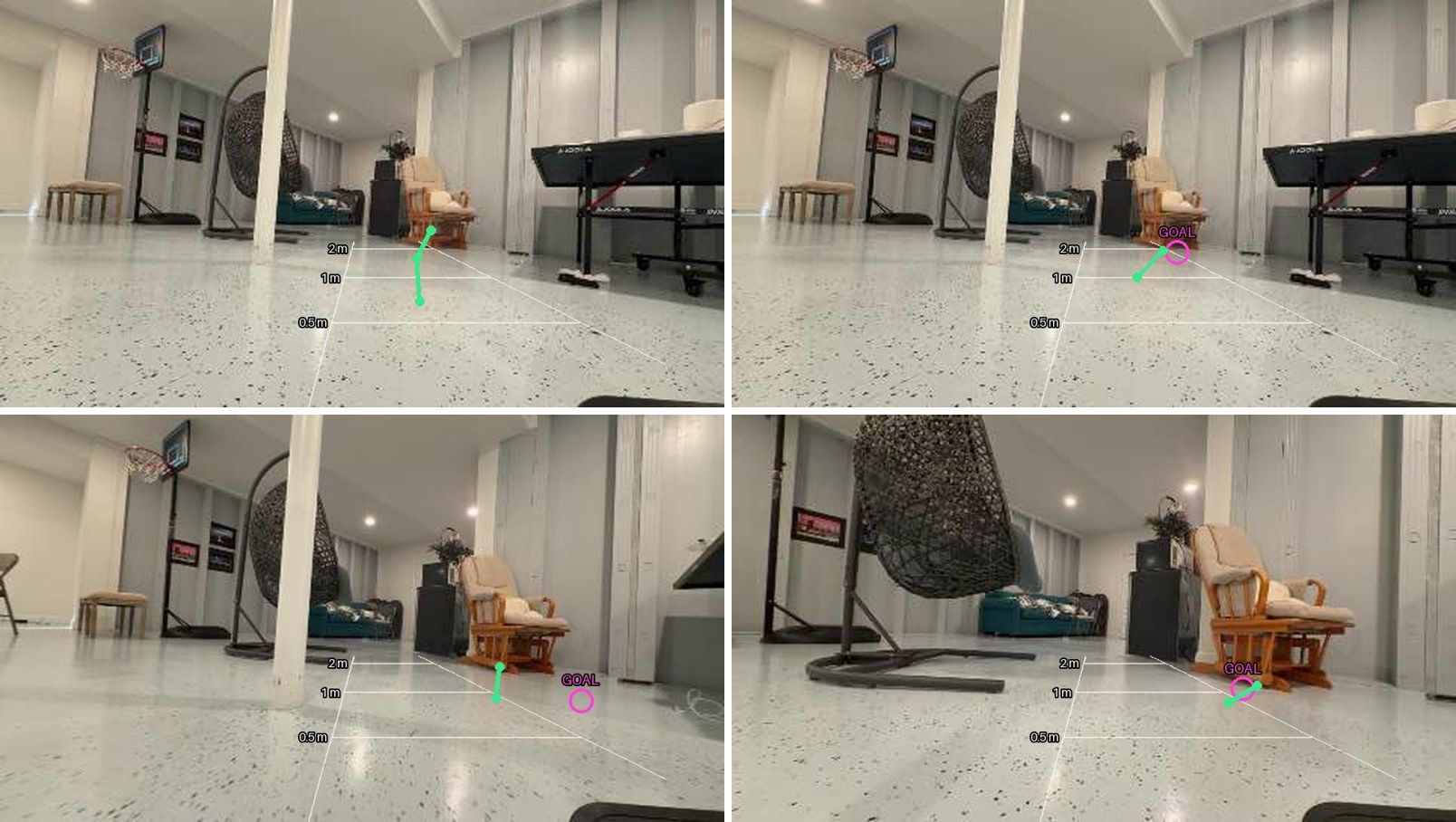
It was also slow to think. On the run to the cardboard box, Gemini’s five looks took 13.0, 4.9, 3.7, 3.0 and 2.6 seconds.
How the harness drives
- Depth without LiDAR, We use Depth Anything V2, by calibrating scale it can accurately (for our purposes) dictate depth on an image without LiDAR.
- Pure pursuit. We steer the chair on the arc that passes through a distant point and we adjust the chair to move slower along tight arcs so the rider isn't forced sharply on the chair.
- Memory. We mapped out 15cm (radius) cells so that obstacles became clusters in the harness's memory.
- Turns. Using the phone's gyro we have a check to estimate how far the chair turned on-top of the intention based on wheel speed.
Turning the teacher’s drives into data
This work is similar to what Urjit and I do at Rudimint, with the difference being: you cannot generate physical data by running a script overnight. Every bit of training data requires the actual wheelchair to move in the physical world so our first step was to build structure for the data collection loop.
- Episodes. Every run gets logged with gyro reading, command and corresponding camera frame, believed position, actual position, etc. We also hand curate "golden"/perfect solutions for each run.
- Every failure has justification. For example “obstacle 0.4 m ahead”, “asked left 30°, got 21°”, “gyro went quiet”.
- Auto QA. If the camera or the gyro was stale for part of a run, the episode is marked unusable and we never used it for training.
We post-trained on curated driving data from hand driven runs and from Gemini Robotics-ER 2.
Using SFT OmniVLA learned waypoints (given a single frame and the task, where is the chair going to be over the next 8/3s of a second).
Post-training
We used OmniVLA's training script for our recipe:
- LoRA at rank 32 (α 16) on every linear layer, with the action head and the goal projector trained in full.
- Loss: waypoint MSE plus a small smoothness term (0.1).
- Optimiser: AdamW at a learning rate of 1e-4.
- Schedule: 300 steps at batch size 8 on one 80 GB GPU on Modal, about five minutes.
Training and driving are both in a single forward pass.
Evals, three ways
Held-out. We hold out a contiguous slice from the middle of each drive.
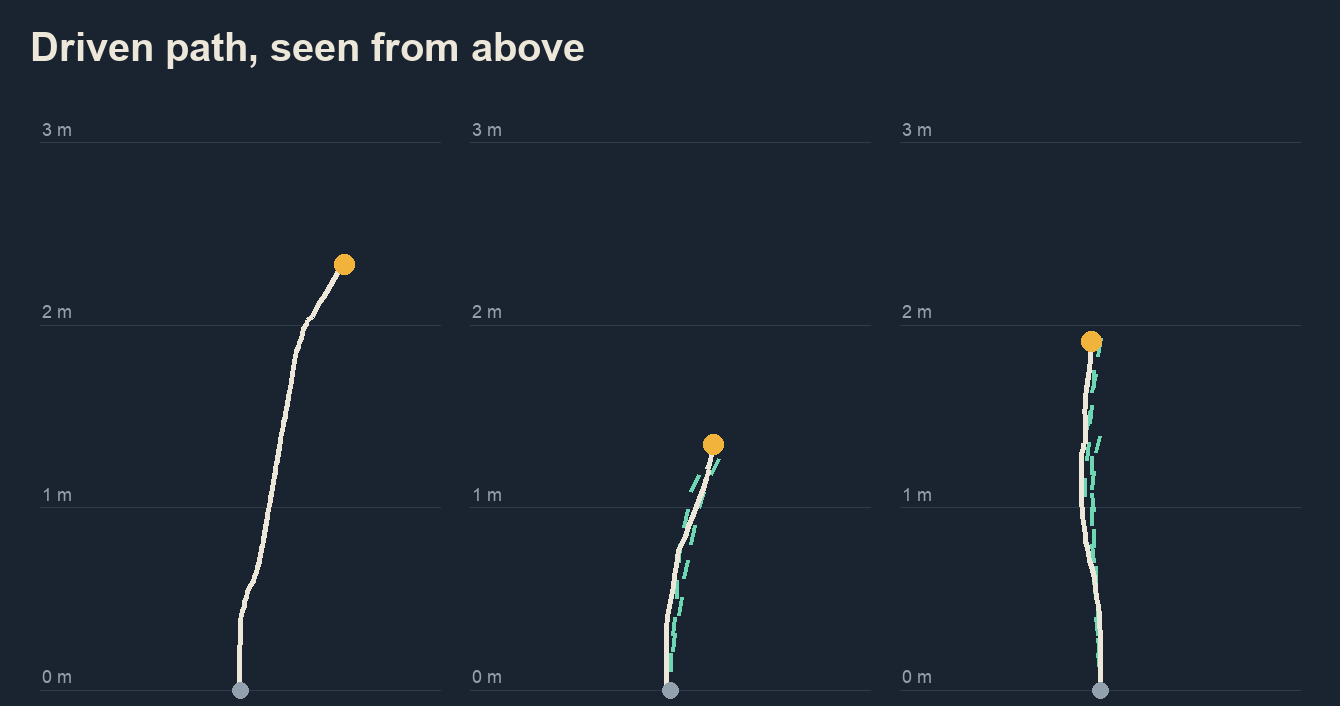
So we ultimately achieved 3.7× lower error than the original. Heading error fell from 4.6° to 1.9°, and average error across all eight waypoints from 0.35 m to 0.09 m.
Blind replay. We replayed 49 recorded frames through every driver we had, and reduced each answer to one plain first action, and handed a separate Claude Opus judge the frame with the actions as A, B, C in shuffled order. We obfuscated model names and removed reasoning.
The slow models started off with much better accuracy so to squeeze that performance into the smaller model we used distillation.
What we took from it
- Harnesses remain as essential for robotics models as they are for LLMs (especially for latency).
- Concrete facts/measurements should be passed as context.
- Being able to iterate fast by creating training loops is key for physical data.
Fun Tidbits :)
The code is on GitHub and the hackathon write-up is on Devpost.